
How Lighting Console Programming Works in Live Productions
How Lighting Console Programming Works in Live Productions
Word Count: 2048 words
Lighting console programming is the core skill that separates basic lighting control from professional stage production. While hardware defines the system capability, programming determines how effectively that system delivers visual impact.
For engineers working with a lighting control console, programming is not just about creating effects — it is about building a structured, reliable, and flexible control system that can handle real-time performance demands.
What Lighting Console Programming Really Means in Live Shows
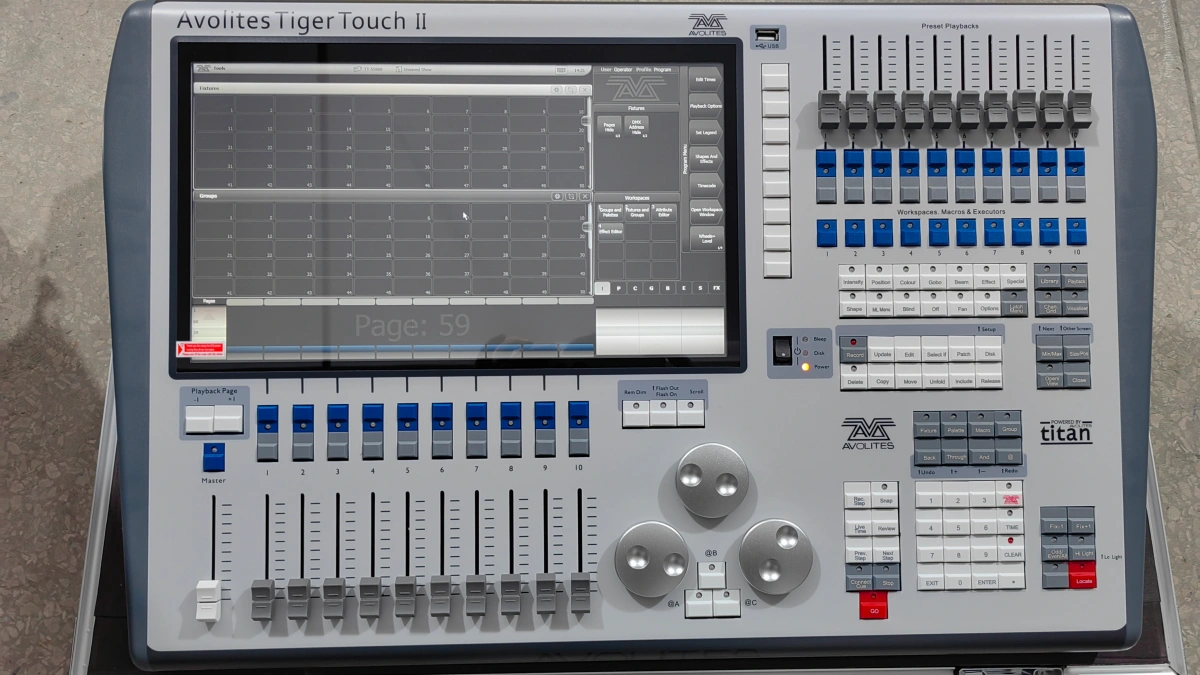
In real productions, programming is not isolated from operation. It is tightly connected to system setup, DMX structure, and show design.
A professional programming workflow follows this structure:
Fixture Setup → Patching → Grouping → Cue Building → Effects Programming → Live Execution
Each step directly affects show quality and system reliability.
Step 1: Fixture Setup and Logical Grouping
Programming begins before any cue is created. Proper fixture grouping is essential for efficient control.
Fixtures such as concert moving head light should be grouped by position (front, back, stage left, stage right), while wash moving head units should be grouped for color and coverage control.
Common Mistake: Grouping fixtures randomly, leading to complex and inefficient programming.
Solution: Always group fixtures based on stage layout and function.
Step 2: Cue Programming — Building the Show Structure
Cues define lighting states at specific moments. However, poor cue design is one of the biggest reasons for inefficient operation.
Problem: Too many similar cues or unclear naming.
Solution:
- Use clear naming conventions
- Build cues based on show segments (intro, chorus, climax)
- Reuse cues instead of duplicating
This approach simplifies live operation and reduces errors.
Step 3: Effects Programming — Where Visual Impact Happens
Modern lighting consoles include powerful effects engines, allowing automated movement, color changes, and intensity modulation.
For example:
- Wave movement effects using beam fixtures
- Color chase effects using wash lights
- Impact moments using concert strobe light
- Audience scanning using concert laser light
Key Insight: Over-programming effects often reduces visual clarity. Simplicity with timing precision delivers better results.
Step 4: Live Execution — Programming Meets Reality
During live shows, programming must be flexible. Pre-programmed sequences rarely match performance perfectly.
Common Issue: Rigid programming that cannot adapt to live timing changes.
Solution:
- Use submasters for manual control
- Prepare fallback cues
- Keep key effects accessible for real-time adjustment
Programming should support live operation, not restrict it.
Common Programming Problems and How to Fix Them
1. Overcomplicated Cue Structure
Too many cues make live operation confusing.
Fix: Simplify cue stacks and focus on essential states.
2. Poor Fixture Grouping
Improper grouping increases programming complexity.
Fix: Reorganize fixtures based on function and position.
3. Inconsistent Effects Usage
Random effects reduce visual coherence.
Fix: Use consistent effect patterns aligned with music.
Professional Programming Workflow Used in Touring Productions
In large productions, programming follows strict standards:
- Pre-program key sequences before touring
- Use timecode for synchronized shows
- Maintain backup show files
- Test programming in real stage conditions
This ensures consistency across multiple performances.
When Your Programming Is Limited by Your Console
Many programming issues are not caused by operators, but by hardware limitations.
Signs include:
- Limited effects engine
- Slow processing
- Insufficient DMX universes
If your system shows these limitations, upgrading is necessary.
Learn how to choose the right system here: best lighting consoles for professional stage lighting systems .
FAQs
What is lighting console programming?
It is the process of creating cues, effects, and sequences for stage lighting.
What is the biggest programming mistake?
Overcomplicated cue structures and poor organization.
How can I improve programming efficiency?
Use structured workflows, grouping, and reusable cues.
What are lighting effects?
Automated patterns for movement, color, and intensity.
Do I need advanced consoles for programming?
Yes, for large productions and complex effects.
How to make lighting programming more professional?
Focus on structure, timing, and consistency.