
2026 Professional Lighting Control Console Guide
A lighting control console is the core component that connects, manages, and operates all lighting fixtures within a stage or event system. In modern productions, lighting is no longer controlled manually. Instead, a centralized console allows operators to coordinate hundreds of fixtures with precision, creating synchronized visual effects that enhance the performance.
For professional buyers, choosing the right lighting control console is critical when building scalable and efficient lighting systems. A well-designed console setup not only improves operational workflow but also determines how effectively lighting can be integrated into the overall production.
What Is a Lighting Control Console in Practical Systems
A lighting control console is a hardware or software system that sends control signals to lighting fixtures. These signals determine how each fixture behaves, including brightness, color, movement, and timing. Instead of adjusting lights individually, operators use the console to control all fixtures from a single interface.
In real-world applications, lighting consoles are used to create structured cue sequences. Each cue defines a specific lighting state, allowing operators to transition smoothly between different scenes during a performance. This makes consoles essential for events where timing and synchronization are critical.
Modern consoles also support advanced features such as effects engines, allowing dynamic lighting patterns to be generated automatically. This significantly enhances the creative possibilities of stage lighting.
How Lighting Control Consoles Integrate into Stage Systems
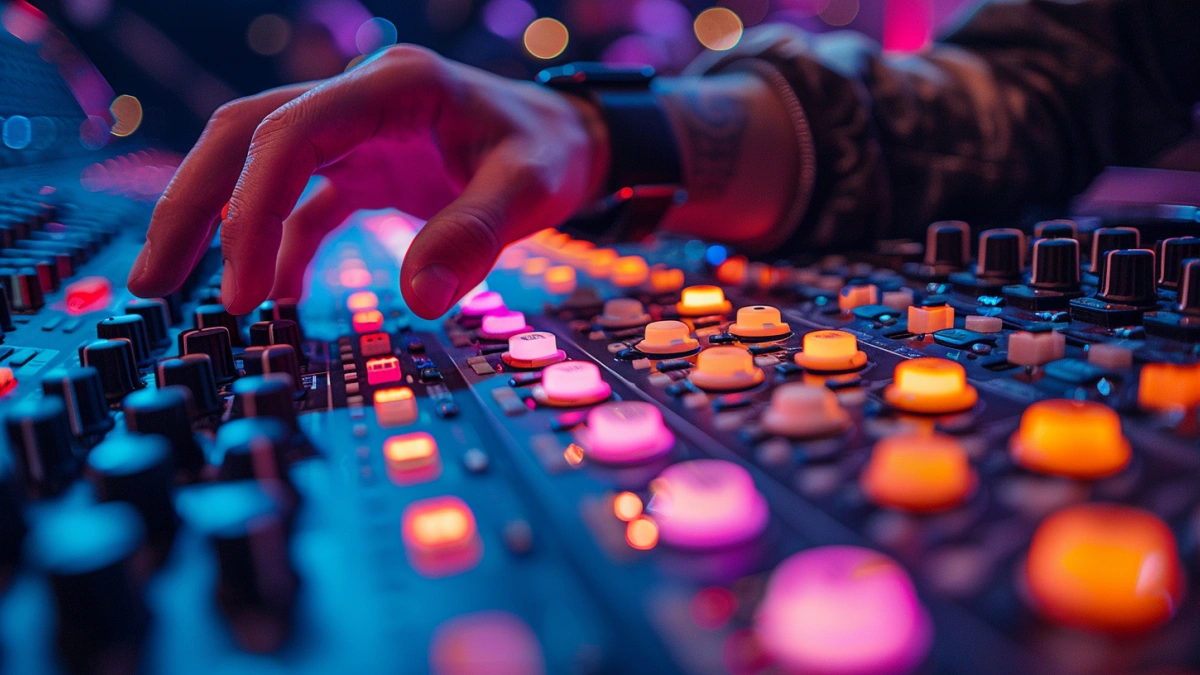
In a professional stage setup, the lighting control console is connected to fixtures through DMX or network-based protocols. These connections allow the console to send control signals to multiple devices simultaneously, ensuring synchronized operation.
For example, a system may include multiple concert moving head light fixtures for dynamic effects and wash moving head units for coverage. Each fixture is assigned a DMX address, allowing the console to control them individually or in groups.
In larger systems, network-based protocols such as Art-Net or sACN are used to manage multiple DMX universes. This allows the console to control hundreds of fixtures across large stages and venues.
Example Lighting Console System Setup for Events
Understanding a typical system configuration helps professional buyers evaluate console requirements. A medium-to-large event lighting system often includes a central console connected to multiple fixture types and DMX distribution units.
A common setup may involve one professional console controlling 60–120 fixtures. This includes 32–64 beam fixtures for movement effects, 20–40 wash fixtures for base lighting, and 10–20 concert strobe light units for impact. Additional concert laser light systems may be used to create large-scale visual effects.
These fixtures are distributed across multiple DMX universes, typically ranging from 4 to 8 universes depending on system complexity. DMX splitters and signal boosters are used to ensure stable communication across the network.
This example demonstrates how a lighting control console serves as the central hub that integrates all lighting components into a unified system.
2026 Trends in Professional Lighting Control Systems
Professional lighting control systems are rapidly evolving with the growth of smart automation, Art-Net networking and wireless DMX technology. In modern live productions, lighting consoles are no longer limited to basic DMX programming. Advanced systems now support multi-device synchronization, touchscreen workflows and real-time visual effects management.
Large-scale concerts, theaters and touring productions increasingly rely on network-based lighting systems capable of controlling multiple DMX universes simultaneously. This allows lighting designers to manage moving heads, LED walls, media servers and stage effects through one centralized workflow.
Another important trend is automation-assisted programming. Modern lighting consoles can now simplify cue generation, effect synchronization and live playback control, significantly improving programming efficiency for professional stage productions.
Professional Lighting Console System Architecture
Professional stage productions typically use a centralized control architecture that combines lighting consoles, Art-Net nodes, DMX splitters and signal processors into one integrated system. This architecture improves signal stability while allowing operators to manage complex lighting setups across large venues.
In concerts and live events, front-of-house (FOH) control positions are commonly used to provide lighting engineers with full visual control of the audience perspective. Backup consoles and redundant signal paths are also frequently implemented to ensure system reliability during live performances.
Modern lighting control systems are often integrated with timecode systems, media servers and audio synchronization platforms, allowing seamless coordination between lighting, video and stage automation.
Key Features of Professional Lighting Control Consoles
Professional lighting consoles offer a range of features designed to support complex productions. One of the most important is cue programming, which allows operators to define lighting sequences in advance. These sequences can be triggered manually or automatically during a performance.
Another key feature is multi-universe control, enabling the console to manage large numbers of fixtures. This is essential for large-scale events where hundreds of devices must be controlled simultaneously.
Effects engines provide additional functionality, allowing dynamic patterns such as movement, color changes, and intensity variations to be generated automatically. This reduces programming time while increasing creative flexibility.
Modern consoles also support integration with other systems, including audio and video, allowing synchronized performances across multiple elements.
How Modern Live Events Use Lighting Control Consoles
Modern live productions use lighting control consoles to synchronize stage lighting with music, video playback and performance timing. Professional lighting programmers create cue sequences, movement effects and color transitions that enhance audience immersion during concerts, festivals and large-scale stage events.
Lighting consoles are widely used in concert touring systems, fashion runway productions, theaters, TV studios and church stage lighting environments. Advanced consoles allow operators to control beam fixtures, wash lights, strobes and laser systems simultaneously through multi-universe programming workflows.
As productions become more visually demanding, professional lighting control systems continue to play a critical role in achieving synchronized and immersive stage experiences.
How to Choose the Right Lighting Console for Stage and Events
Selecting the right lighting console depends on several factors, including system size, complexity, and application requirements. For smaller events, portable consoles with limited universes may be sufficient. However, larger productions require advanced consoles with multi-universe capabilities and network integration.
Professional buyers should also consider ease of use. A console with an intuitive interface can reduce training time and improve operational efficiency. Compatibility with existing equipment is another important factor, ensuring seamless integration into existing systems.
Scalability is critical for long-term investment. A console that supports additional universes and fixtures allows for future expansion without requiring replacement.
Common Problems and How to Avoid Them
One of the most common issues in lighting console systems is insufficient DMX capacity. When too many fixtures are assigned to a limited number of universes, control becomes restricted, reducing system flexibility.
Another problem is poor signal distribution. Without proper DMX splitters and network design, signal loss can occur, leading to unreliable operation. Proper planning and equipment selection are essential to avoid these issues.
Programming complexity can also be a challenge. Without a structured approach, managing cues and effects can become difficult. Organizing cues logically and using pre-built templates can improve efficiency.
Real Project Application
In a large event production, upgrading from a basic console to a multi-universe system significantly improved performance. The new console allowed for better control of fixtures and more complex lighting effects.
The addition of network-based control enabled seamless integration with audio systems, resulting in a more synchronized and immersive experience. This demonstrates the importance of selecting the right console for professional applications.
What Professional Buyers Should Focus On
When evaluating lighting control consoles, professional buyers should prioritize reliability, scalability, and system compatibility. The console must be capable of handling current requirements while allowing for future expansion.
Ease of integration with existing lighting systems is also important. A well-integrated system reduces setup time and improves overall efficiency.
Finally, buyers should consider support and training. Access to technical support and user training can significantly improve system performance and reduce operational issues.
FAQs
How many DMX universes are needed for stage lighting?
Medium systems typically use 2–4 universes, while large productions may require 6–8 or more.
What is the difference between DMX and Art-Net?
DMX is a direct control protocol, while Art-Net allows DMX data to be transmitted over networks.
How many fixtures can a lighting console control?
It depends on the number of universes supported, with each universe controlling up to 512 channels.
What is the best console for large events?
A multi-universe console with network support is recommended for large-scale productions.
For fundamentals, see what is a lighting console.