
How to Choose a Lighting Console for Stage and Event Projects
Choosing the right lighting console is one of the most important decisions in any stage or event lighting project. The console determines how efficiently the system operates, how flexible the lighting design can be, and how scalable the setup is for future expansion.
For professional buyers, selecting a lighting console requires a clear understanding of system size, DMX requirements, and application scenarios. A poor choice can limit performance and increase operational complexity, while the right console can significantly improve workflow and visual results.
What Determines the Right Lighting Console for a Project
The first factor to consider is the number of lighting fixtures in the system. Each fixture requires DMX channels, and the total channel count determines how many universes are needed.
For example, a system with 60 fixtures may require 3–6 DMX universes, while larger systems with 150+ fixtures may require 10 or more universes. The console must support this capacity.
Another important factor is control complexity. Basic events may only require simple cue playback, while concerts and touring productions require advanced programming and effects engines.
Lighting Console Selection Based on Project Size
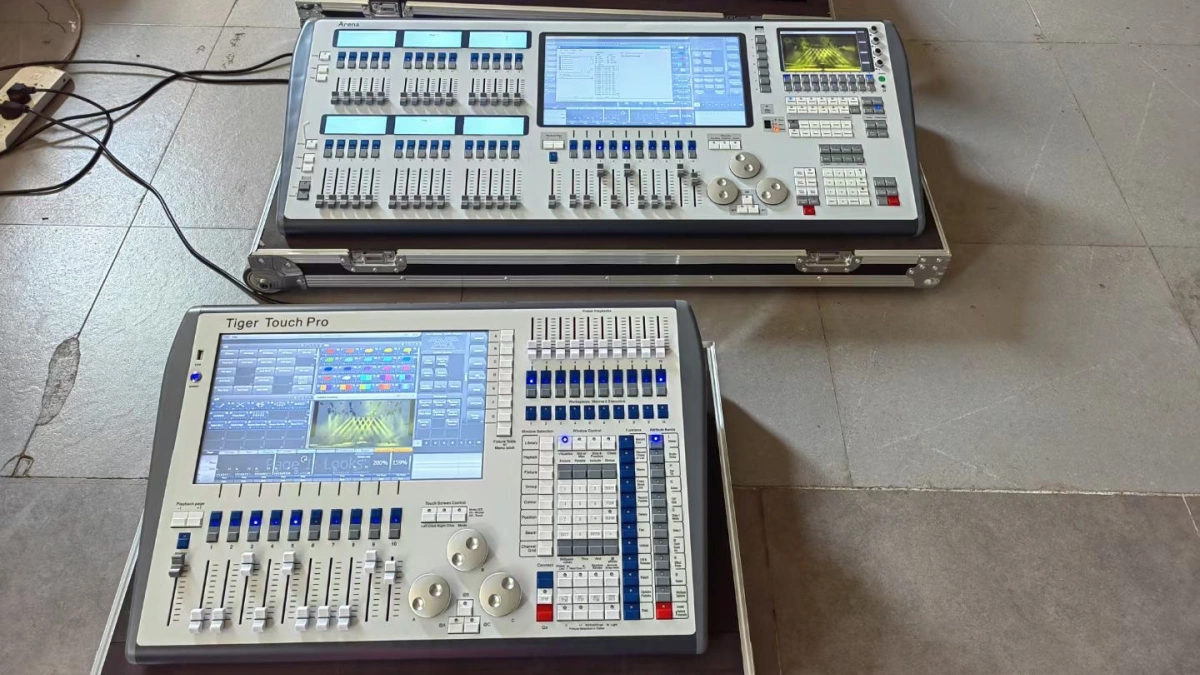
Different project sizes require different types of consoles. Understanding this helps buyers avoid overpaying or under-specifying systems.
Small events: Portable consoles with 1–2 universes are sufficient for small venues and simple lighting setups.
Medium productions: Systems controlling 40–100 fixtures require consoles with 4–8 universes and basic effects capabilities.
Large productions: Concerts and festivals require advanced consoles supporting 10–20+ universes, network protocols, and redundancy systems.
Matching Console with Lighting Fixtures
The type of fixtures used in the system also affects console selection. Fixtures such as concert moving head light units require multiple channels and advanced control features.
wash moving head fixtures require grouping and color control, while concert strobe light systems require precise timing.
For advanced visual effects, concert laser light systems must be integrated into the console workflow.
Example Lighting Console Setup for Different Projects
A typical small setup may include one console controlling 20–40 fixtures using 1–2 universes.
A medium setup may include one main console controlling 60–100 fixtures across 4–8 universes.
A large concert setup may include one main console and one backup system controlling 150–300 fixtures across 10–20 universes.
This scaling approach helps buyers select the right console for their needs.
Key Features to Look for in a Lighting Console
Important features include multi-universe support, effects engines, and network compatibility. Consoles that support Art-Net and sACN provide greater flexibility.
User interface is also important. A console with intuitive controls reduces training time and improves efficiency.
Reliability and support should also be considered, especially for large productions.
Common Mistakes When Choosing a Lighting Console
One common mistake is choosing a console with insufficient capacity. This limits system expansion and reduces flexibility.
Another issue is selecting overly complex systems for simple applications, which can increase costs unnecessarily.
What Professional Buyers Should Focus On
Buyers should focus on scalability, compatibility, and ease of use. A well-chosen console improves system performance and reduces operational complexity.
FAQs
How do I choose a lighting console?
Based on fixture count, DMX universes, and project size.
How many universes do I need?
Small: 1–2, Medium: 4–8, Large: 10–20+.
What is the biggest mistake?
Choosing a console with insufficient capacity.
What features are essential?
Multi-universe support and network compatibility.
For detailed comparison, see buying guide.