
Lighting Console Operation Guide for Stage Lighting Engineers
Lighting console operation is not just about controlling lights — it is about managing an entire stage lighting system under real-time conditions. In live productions, a single mistake in console operation can affect the entire show, making professional workflow and system understanding essential.
For engineers working with a lighting control console, mastering both technical setup and operational strategy is the key to achieving stable, efficient, and high-quality performances.
What Lighting Console Operation Really Means in Real Projects
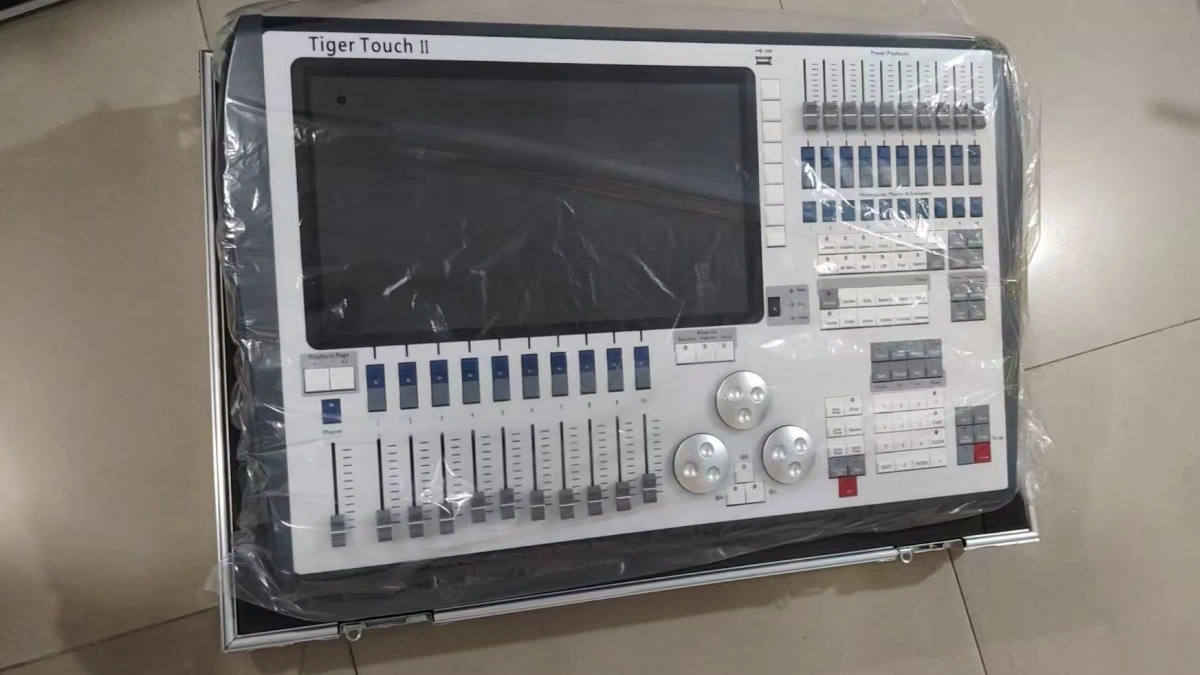
In real-world productions, console operation is not a single action — it is a continuous process that includes system setup, signal management, programming, and live execution.
A professional workflow always follows this structure:
System Setup → Patching → Programming → Live Control → Troubleshooting
Each step directly impacts the reliability and performance of the entire lighting system.
Step 1: System Setup — The Foundation of Stable Operation
Most operational problems originate from poor system setup. A stable system requires correct DMX routing, proper power distribution, and reliable signal flow.
Fixtures such as concert moving head light and wash moving head must be correctly connected and tested before programming begins.
Key Checklist:
- Verify DMX signal path (console → node → fixtures)
- Check power stability for all fixtures
- Ensure correct addressing across all universes
Step 2: Patching — Where Most Errors Begin
Patching is not just assigning fixtures — it defines how your console communicates with the system.
Common Issue: Incorrect fixture profiles or overlapping addresses.
Solution:
- Use verified fixture libraries
- Organize fixtures by type and position
- Separate universes logically (front, back, effects)
Proper patching reduces programming complexity and prevents live operation errors.
Step 3: Programming — Turning Control into Design
Programming is where lighting becomes visual storytelling. However, many operators make the mistake of overcomplicating cue structures.
Best Practice:
- Create simple, reusable cues
- Group fixtures logically
- Use effects engines instead of manual programming
Effects such as strobe bursts using concert strobe light or layered visuals with concert laser light should be programmed in a structured way.
Step 4: Live Operation — Real-Time Control Under Pressure
Live operation is where all preparation is tested. Operators must respond quickly to timing changes, performance variations, and unexpected issues.
Typical Control Tools:
- Faders for intensity control
- Buttons for cue triggering
- Touch interface for quick adjustments
The key is not speed — it is control consistency.
Common Problems in Console Operation and How to Fix Them
1. DMX Addressing Conflicts
When fixtures respond incorrectly, the most common cause is overlapping addresses.
Fix: Re-check channel allocation and separate universes clearly.
2. Signal Loss During Live Show
This usually happens due to long cable runs or unstable connections.
Fix: Use DMX splitters and proper signal distribution.
3. Slow or Confusing Operation
Poor cue organization leads to delays during live performance.
Fix: Structure cues based on show timeline.
Professional Workflow Used in Real Productions
Experienced lighting engineers follow strict workflows to ensure reliability:
- Pre-program key sequences before the show
- Use backup consoles or show files
- Test all fixtures and signals before live execution
- Keep emergency manual controls ready
This workflow minimizes risk and ensures consistent performance.
When Your Console Becomes the Limitation
If your system feels difficult to operate, the issue is often not the operator — it is the console.
Common signs:
- Too few DMX universes
- Limited programming capability
- Slow or confusing interface
In such cases, upgrading to a professional system can significantly improve efficiency.
Read this guide to choose the right system: best lighting consoles for professional stage lighting systems .
FAQs
What is lighting console operation in stage production?
It is the process of controlling and managing lighting systems during live performances.
Why does DMX addressing cause problems?
Incorrect addressing leads to fixture conflicts and unstable control.
How can I improve console operation efficiency?
Use structured workflows, proper patching, and organized cues.
What is the biggest mistake in live operation?
Lack of preparation and system testing.
When should I upgrade my lighting console?
When your system becomes difficult to control or lacks capacity.
Do professional shows always use backup consoles?
Yes, to ensure reliability and avoid show interruptions.